Three steps from audio to aligned lyrics.
Upload a song. Review the transcription. Download your files.
Live since July 2026 · 52 languages · API available
Any audio file, any language.
Drop in an MP3, WAV, FLAC, or MP4. Select the source language — or leave it to auto-detect — and the pipeline starts immediately. No preprocessing or file conversion required.
lyrcs.ai supports 52 languages with deep coverage of South Asian scripts, including Punjabi, Hindi, Bengali, Tamil, Telugu, Gujarati, and Kannada — and the same alignment drives a finished lyric video.
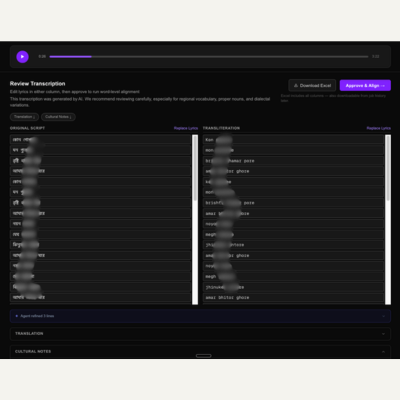
Edit before you align.
Every transcription is editable before alignment runs. The studio shows original script and transliteration side by side — correct dialect-specific terms, proper nouns, or anything the model missed. Approve when ready.
Timestamps, ready for your workflow.
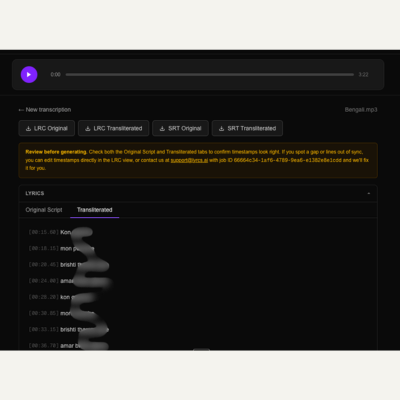
Once approved, the alignment engine attaches precise timestamps to every line. Download LRC, SRT, or word-level JSON for the original script, transliteration, or both — ready to drop into your player, streaming upload, or lyric video tool.
Ready to try it on a real song?
Try for free →